Make a video with your own music
Bring an MP3 or WAV, choose your excerpt, then create a photo performance.
Updated October 26, 2026 · RapMeme
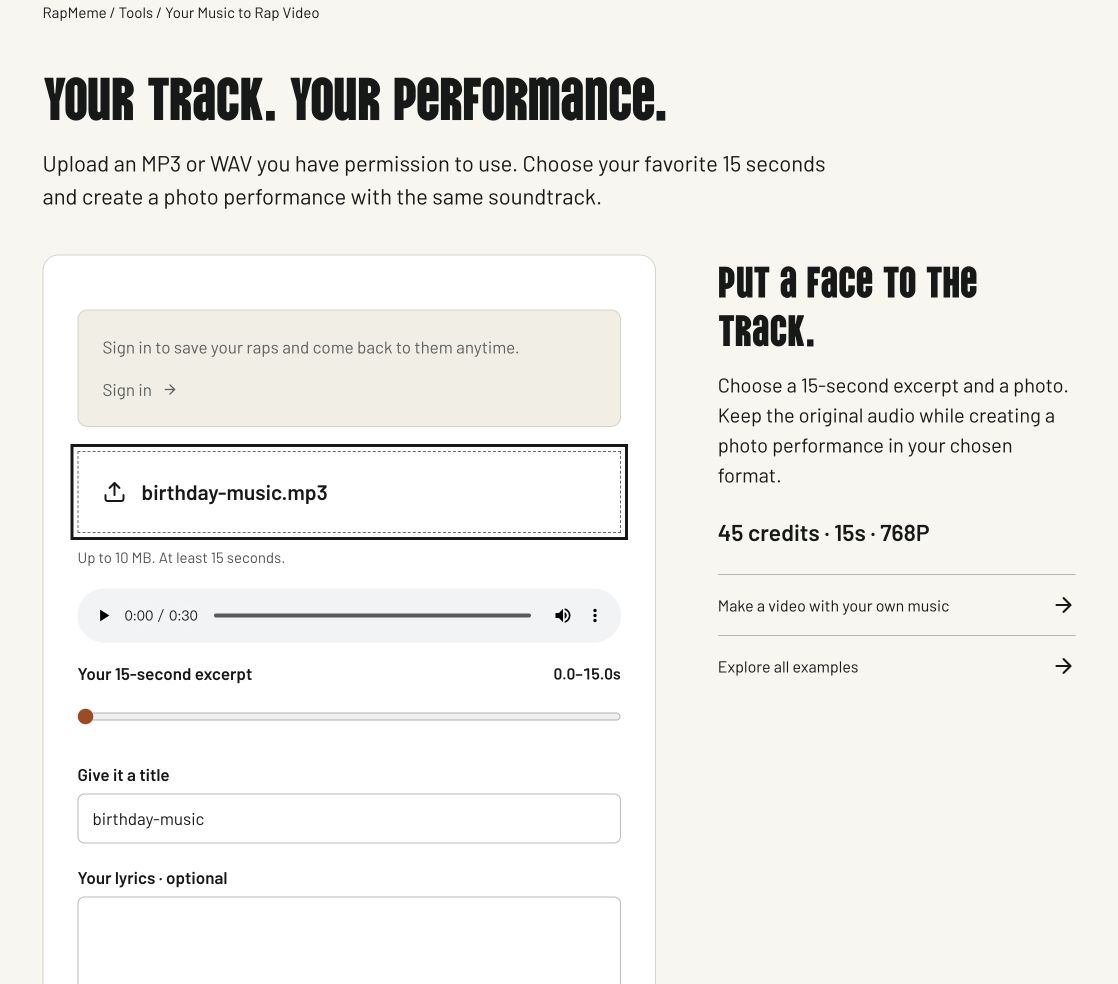
1. Choose MP3 or WAV
Choose an MP3 or WAV up to 10 MB with at least 15 seconds of audio. Your full file is decoded locally in the browser. Avoid files that are encrypted, damaged or in a different format with a renamed extension. You must have permission to use both the music and the photo.
2. Choose 15 seconds
Use the audio controls to listen, then move the slider to the beginning of your excerpt. Choose a section with clear vocals if you want to assess lip sync; a long instrumental opening gives the performer fewer words to animate. The preview stops at the end of the selected 15 seconds.
3. Save my 15-second track
Give the project a title and optionally save the words heard in this excerpt. Confirm that you can use the music, then save the track. Only the selected 15 seconds is converted to a mono WAV and uploaded. This creates a private project without a music-generation charge. The full source file stays on your device.
4. Put a face to the track.
Add a photo in your new project and choose a format. The 15-second video uses your selected soundtrack; no new song is added. Video generation costs 45 credits. Download the clip or open it in the caption editor. Changing a caption does not change the vocals.
If something goes wrong
If import fails, check that the file is a real MP3 or WAV, at most 10 MB, and at least 15 seconds long. Re-encoding a damaged file can help; renaming its extension does not convert it. You can select a different excerpt before saving.
Choosing an excerpt
Listen for a self-contained moment that works without the rest of the song. A clear vocal passage gives you more to evaluate than a long instrumental intro. Only upload audio and images you have permission to use.
This is a separate advanced workflow from the photo-first creator. The music import itself does not generate a video; the later video stage has its own credit cost and availability may vary.
After the video is ready
Listen to the completed clip before sharing. If you want captions, open the caption editor and type the words actually heard in the excerpt.
Know the cost before you start
Original music: 5 credits. A 15-second photo performance at 768P: 45 credits. A complete new rap and video uses 50 credits.
Already have a song? Import your own audio and pay only for the video. Captions and local export use no generation credits.
See packs & subscriptions